
Miniature Printing Guide
BambuStudio & Orca Slicer Setup for High-Quality Miniature Prints
When is this guide needed?
This guide helps you manually recreate the custom slicing preset used in Bambu Studio or Orca Slicer for high-quality miniature prints.
- Sometimes the included print profiles in our
*_bambu.3mffiles are overridden if a "new configuration package" is available and installed - For some printers (like the P1P) or newly released Bambu Printers like the H2D, we might lack dedicated profiles in older releases
- Users can replicate a good print profile by following this guide - always based on the printer specific 0.16mm High Quality profiles
Configuration Override Issue
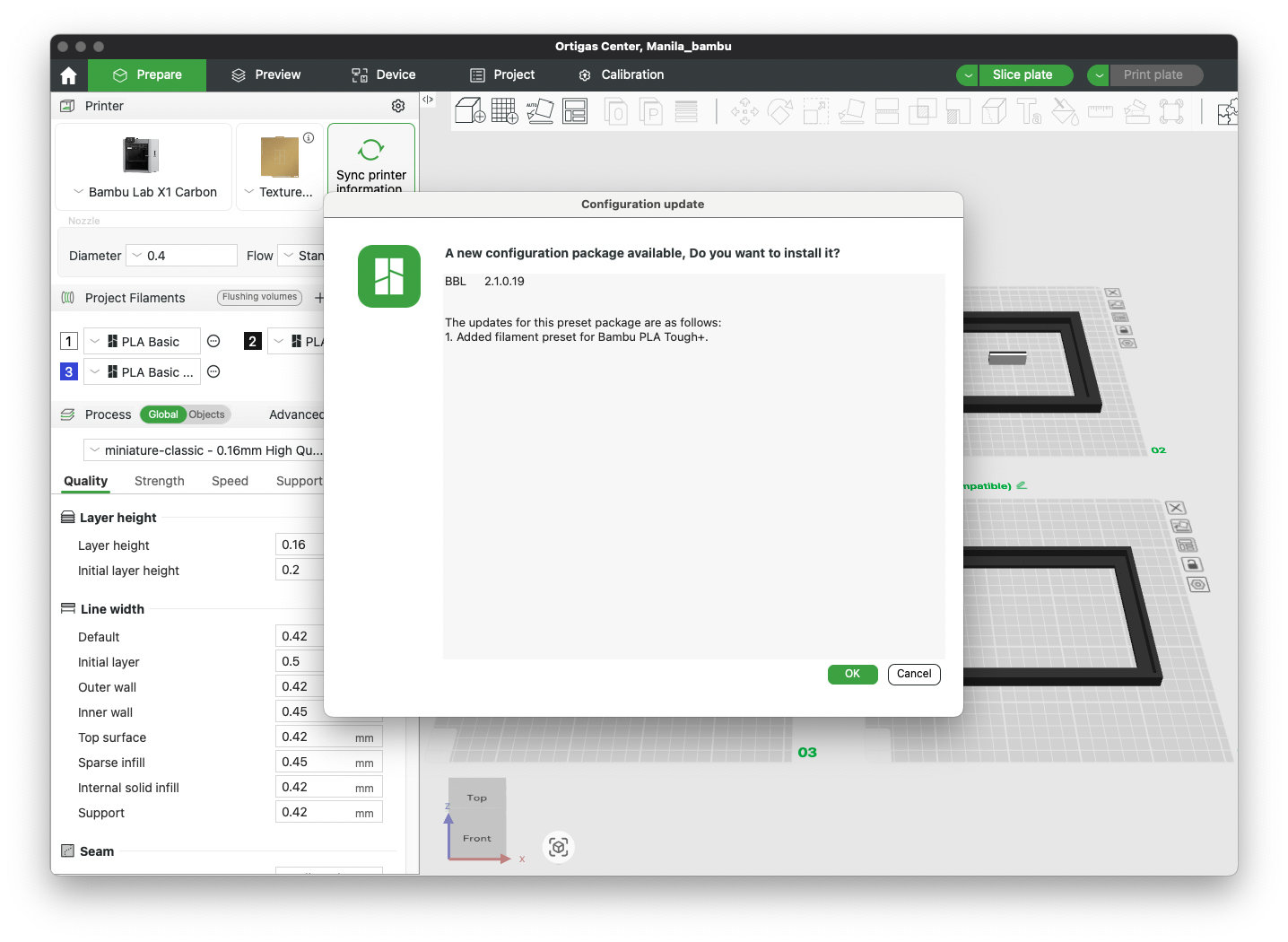
When BambuStudio installs a new configuration package, it may override our custom preset. This dialog shows when this happens:
How to Use This Guide
These manual settings are typically only needed if the included presets in our *_bambu.3mf/*_snapmaker.3mf files (named "miniature-arachne" or "miniature-classic") are not shown in BambuStudio/Snapmaker Orca. This can happen due to unforeseen reasons such as updates to the presets by BambuLab or similar compatibility issues.
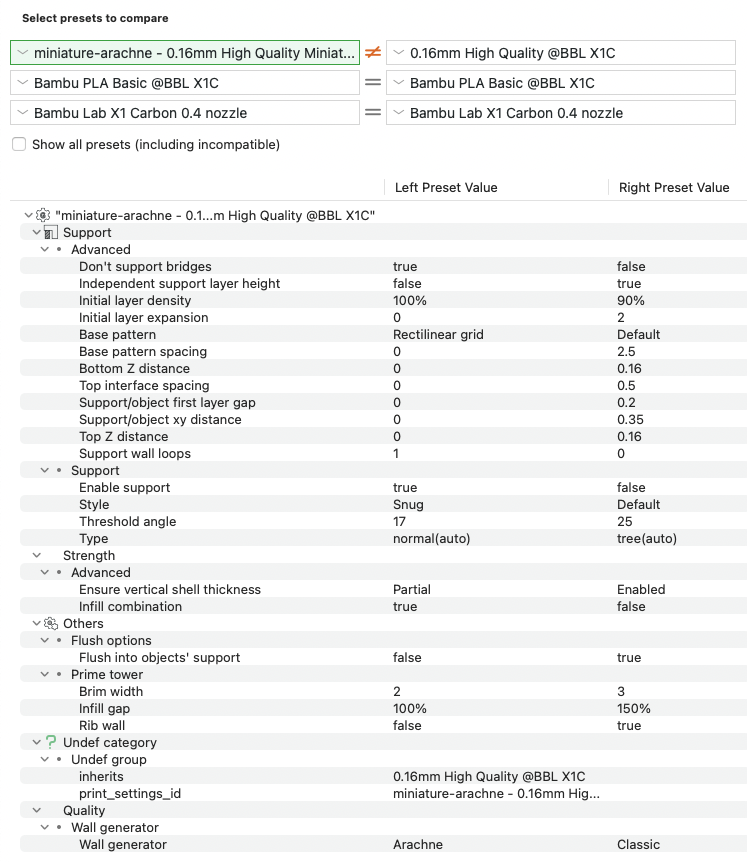
The values below are optimized compared to the default "0.16mm High Quality" preset specifically for miniature printing.
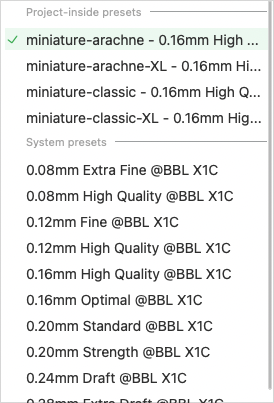
Optimal: Our Custom Preset Available
When our presets are available, you can select them directly:
When Manual Setup is Needed
If our presets are not available, follow the settings below:
Quality Settings
| Setting | Value |
|---|---|
| Wall generator | Arachne |
Strength Settings
| Setting | Value |
|---|---|
| Ensure vertical shell thickness | Partial |
| Infill combination | true |
Support Settings (Basic)
| Setting | Value |
|---|---|
| Enable support | true |
| Style | Snug |
| Threshold angle | 17 |
| Type | normal(auto) |
Support Settings (Advanced)
| Setting | Value |
|---|---|
| Don't support bridges | true |
| Independent support layer height | false |
| Initial layer density | 100% |
| Initial layer expansion | 0 |
| Base pattern | Rectilinear grid |
| Base pattern spacing | 0 |
| Bottom Z distance | 0 |
| Top interface spacing | 0 |
| Support/object first layer gap | 0 |
| Support/object XY distance | 0 |
| Top Z distance | 0 |
| Support wall loops | 1 |
Flush Options
| Setting | Value |
|---|---|
| Flush into objects' support | false |
Prime Tower
| Setting | Value |
|---|---|
| Brim width | 2 |
| Infill gap | 100% |
| Rib wall | false |
Troubleshooting: Hollow Areas & Rivers Covered by Supports
Symptom: Hollow Areas
The slicer detects voids inside the mesh and generates deep support structures or bridging where none are expected — visible as support columns reaching into the model with no interface layer on top.
Symptom: Rivers Falsely Closed by Supports
A river or water channel gets covered by support material, blocking the channel when printed.
Both effects are caused by the slicer making wrong assumptions about the inside vs. outside of the mesh. Miniature STL files consist of many individual bodies, and the slicer sometimes misidentifies their relationship.
Fix: "Split to Parts"
Right-click the model in BambuStudio (or Orca Slicer) and select "Split to Parts" before slicing.
This causes the slicer to re-evaluate all individual bodies as a coherent model:
- Hollow areas are recognized as part of the model → support structures become regular top layers
- Rivers/water channels are less likely to be incorrectly bridged over with supports
Final Notes
Note: These settings are intended for precision miniature models and might increase print times. Test on smaller prints before batch usage.
For questions about printing or if you encounter issues with these settings, please contact us through our support channels.